Cyan LCD FREE
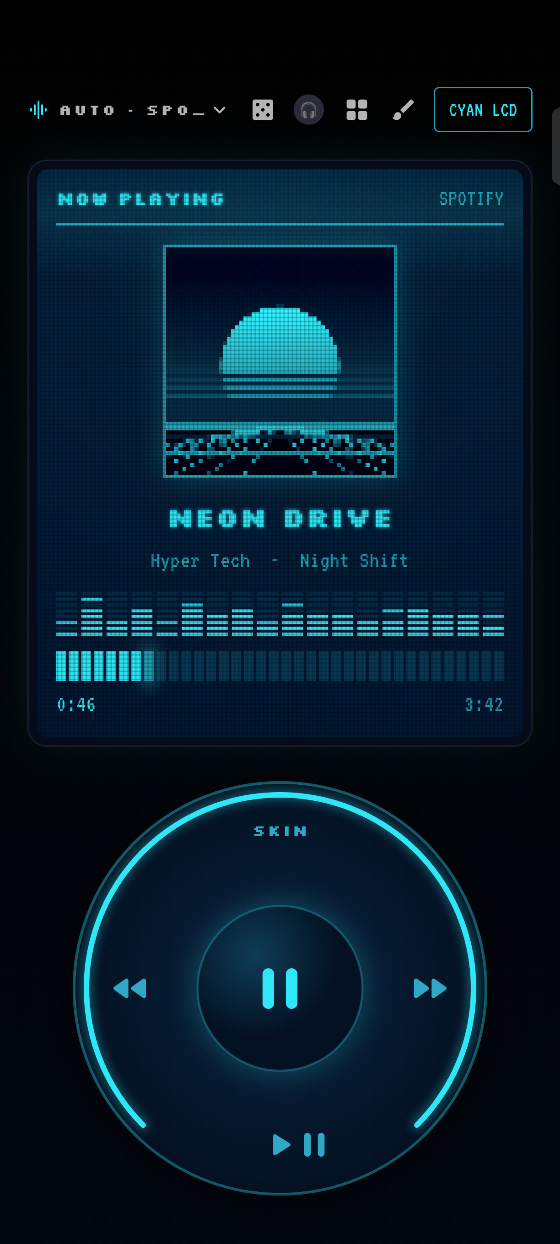
A glowing pixel screen in the dark. Retro, calm, a little hacker.
HyDeck · an Android app
HyDeck is the now-playing deck that dresses itself. It watches what you play on Spotify, YouTube, TikTok and more, then puts it on a gorgeous deck that fits your phone and follows your volume buttons.
Everything you see here is real. These are recordings and screenshots of the actual app on a real Android phone. The song and its artwork are made up.
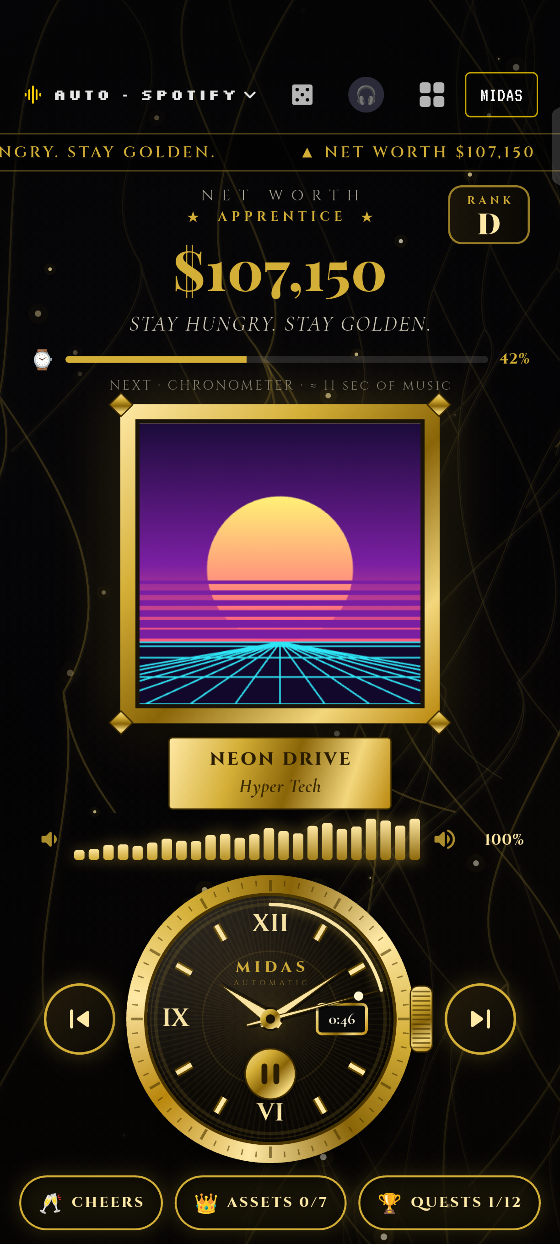
This look is locked. It opens with a code made for your phone.
How MIDAS worksTap a look to see the app wear it.
Looks
Three looks come free and you can build your own. The roulette can swap them song by song, and it can even pick the look that fits the vibe.
A glowing pixel screen in the dark. Retro, calm, a little hacker.
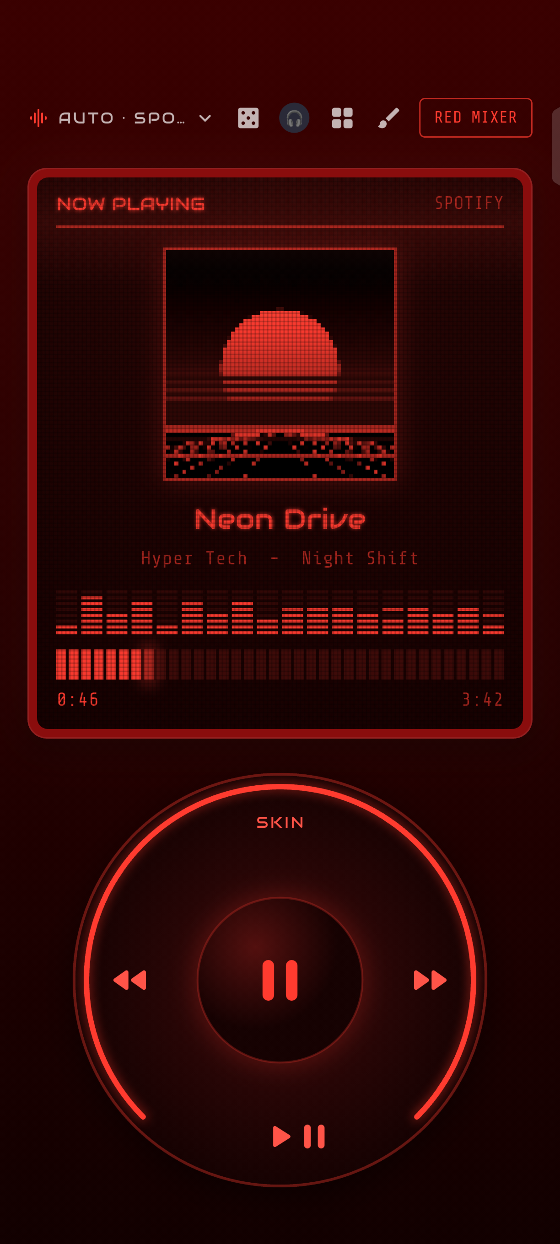
Hot red on black. Built for rock, energy and loud mornings.
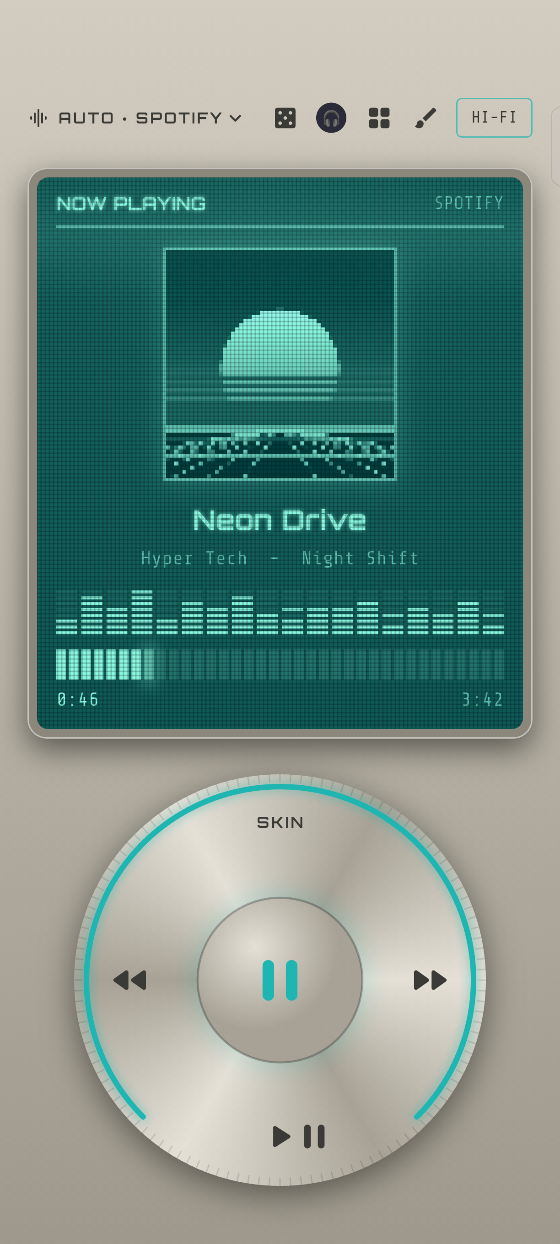
Brushed metal and a teal display, like the stereo you always wanted.
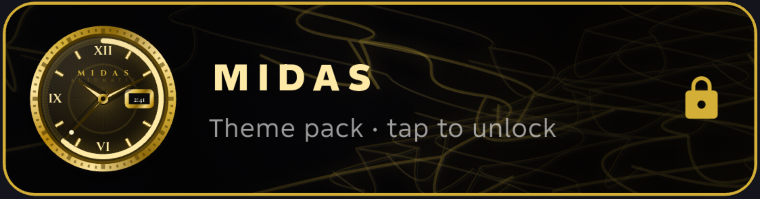
A luxury look that unlocks with a code. See how it works below.
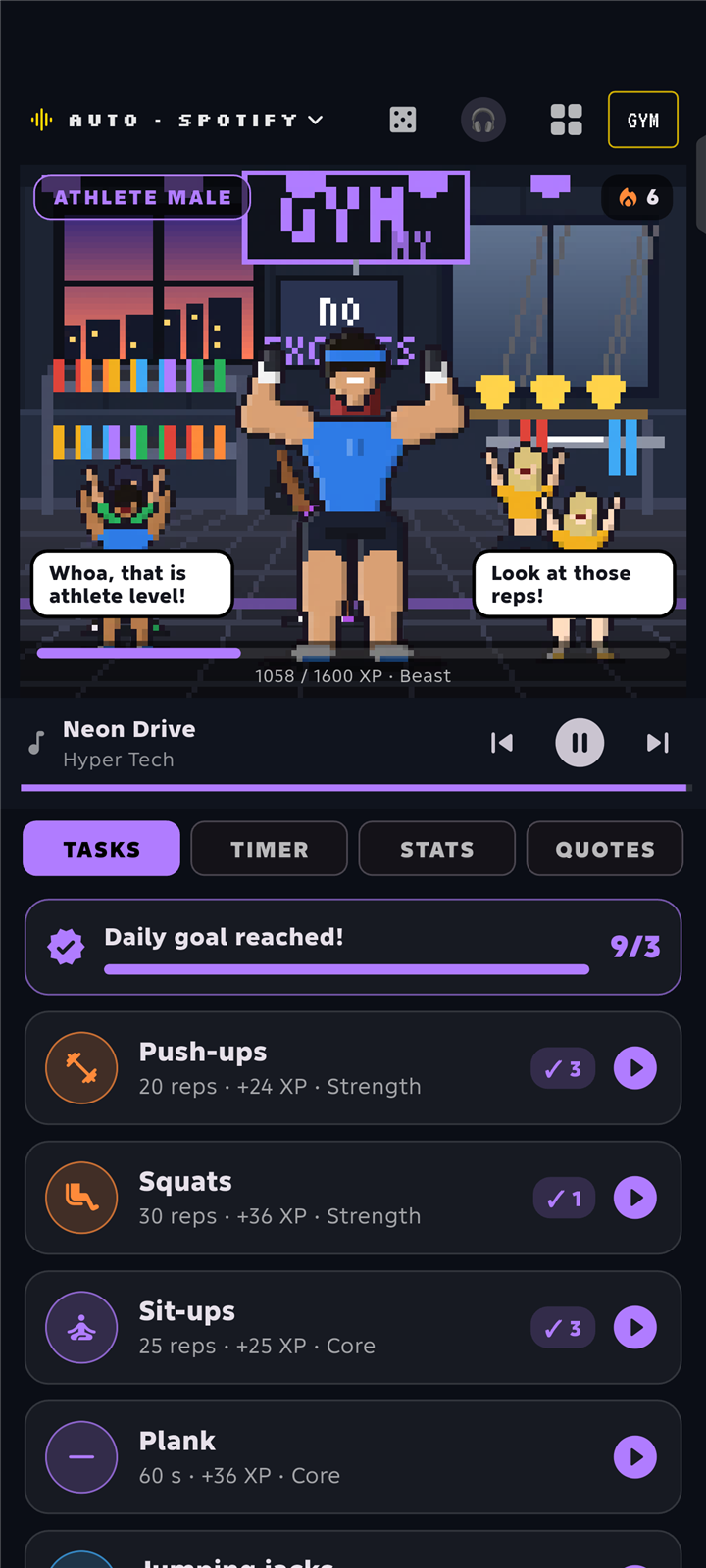
Workout tasks, a timer and level-ups. See how it works.
Every new song lands on a different free look. Spin it and the phone above wears the result.
HyDeck reads the title, artist and genre tags to guess the mood, then picks a look that fits. It reads words, never audio. This box is a simplified version of how it thinks. Type a song or artist:
Fits every phone
These are real screenshots from a real Android phone, set to each screen size in turn. The deck re-flows to fit: on a small screen, or with large text, the whole deck shrinks a little instead of cutting off the controls.
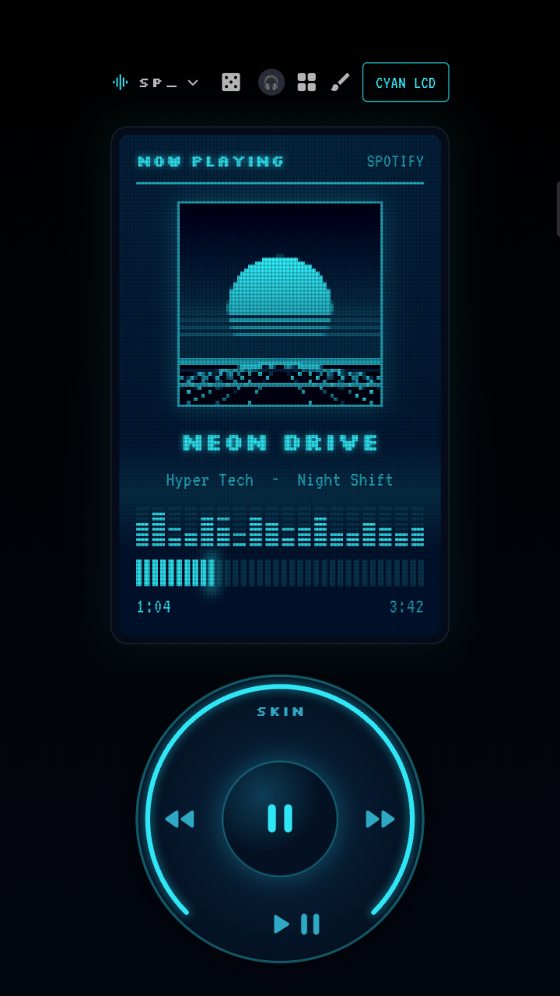
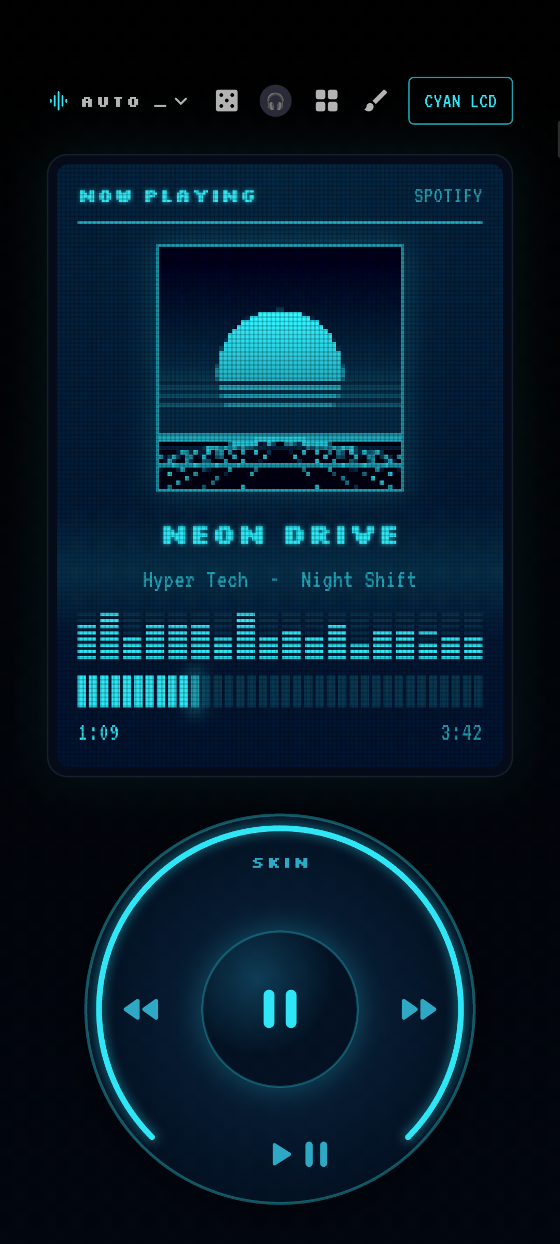
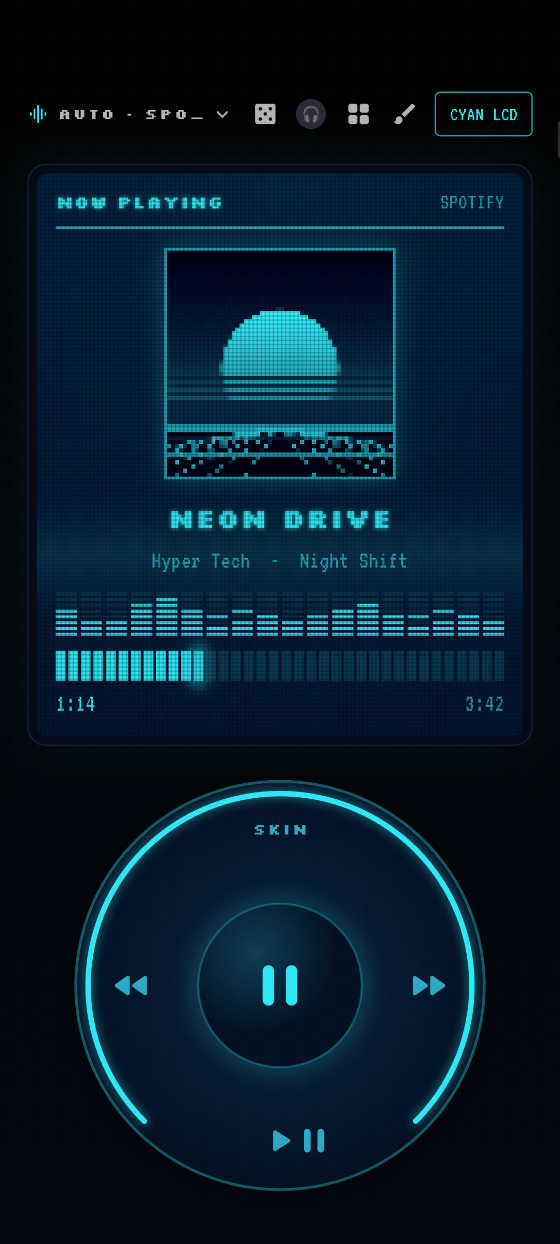
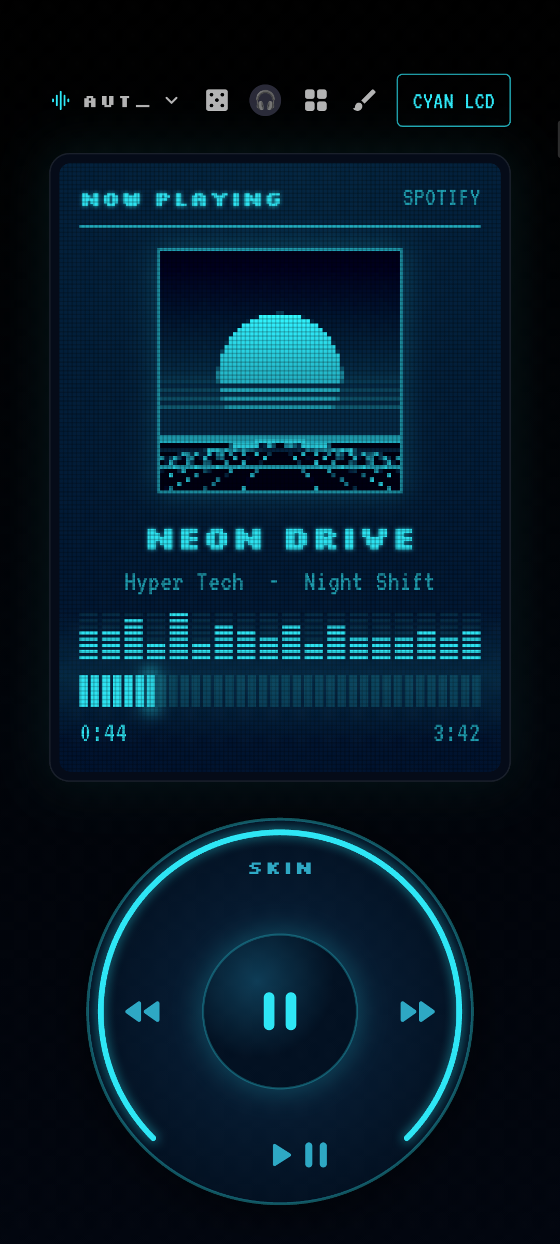
Tested again on nine screen sizes, with large text, before every release.
Volume sync
Raise or lower the volume with your phone's side buttons and the deck moves with it, to exactly the same level, in every look.
Watch the recording: the volume buttons are pressed down four times, then up four times, and the wheel and the percentage follow every step.
Theme pack · MIDAS
MIDAS is an optional, paid theme pack. In the app it shows as locked until you paste the license key Gumroad gives you. Needs HyDeck 1.0.4 or newer. HyDeck itself, and its three built-in looks, stay free.
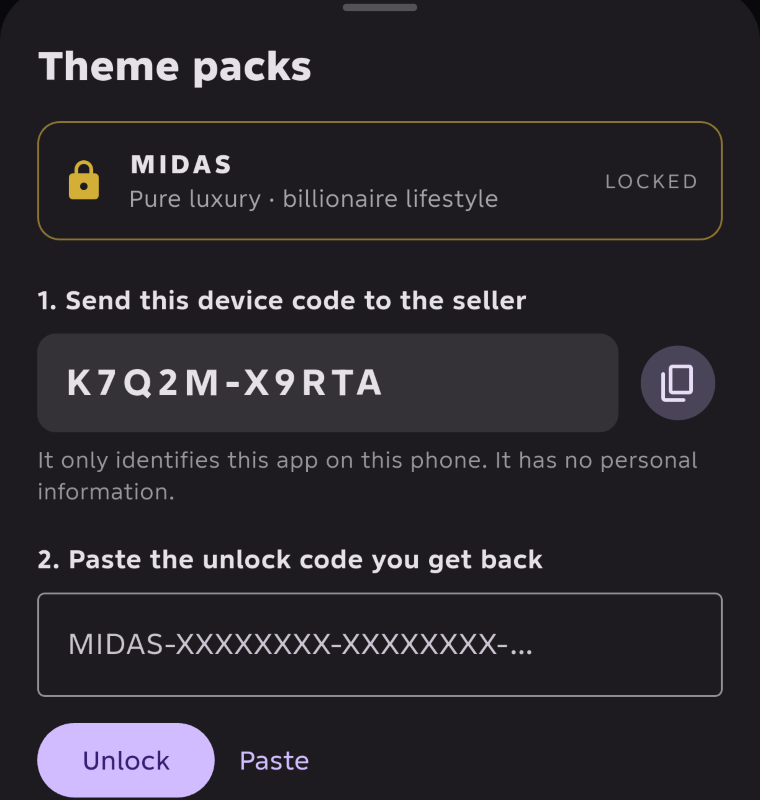
Update to HyDeck 1.0.4, then open Library → MIDAS. It shows a short device code for your phone.
Tap Buy on Gumroad and paste that device code in the checkout field. It has no personal information in it.
Gumroad shows you a license key. Paste it into HyDeck and MIDAS opens.
Payment happens on Gumroad, never on this site or inside HyDeck. At checkout, paste the device code from the app. After you pay, you get a license key to paste into the app.
Theme pack · GYM
GYM is an optional, paid theme pack for everyone, whoever you are. Pick a workout or make your own, set a timer, and your pixel athlete and the gym around them react to every rep. Unlocked the same way as MIDAS: buy it on Gumroad and paste your license key.
It is a game about moving more, not medical advice. Go at your own pace, drink water, and stop if something hurts.
In HyDeck open Library → GYM and copy the device code.
Tap Buy on Gumroad and paste that device code in the checkout field. It has no personal information in it.
Gumroad shows you a license key. Paste it into HyDeck and GYM opens.
Payment happens on Gumroad, never on this site or inside HyDeck. At checkout, paste the device code from the app. After you pay, you get a license key to paste into the app.
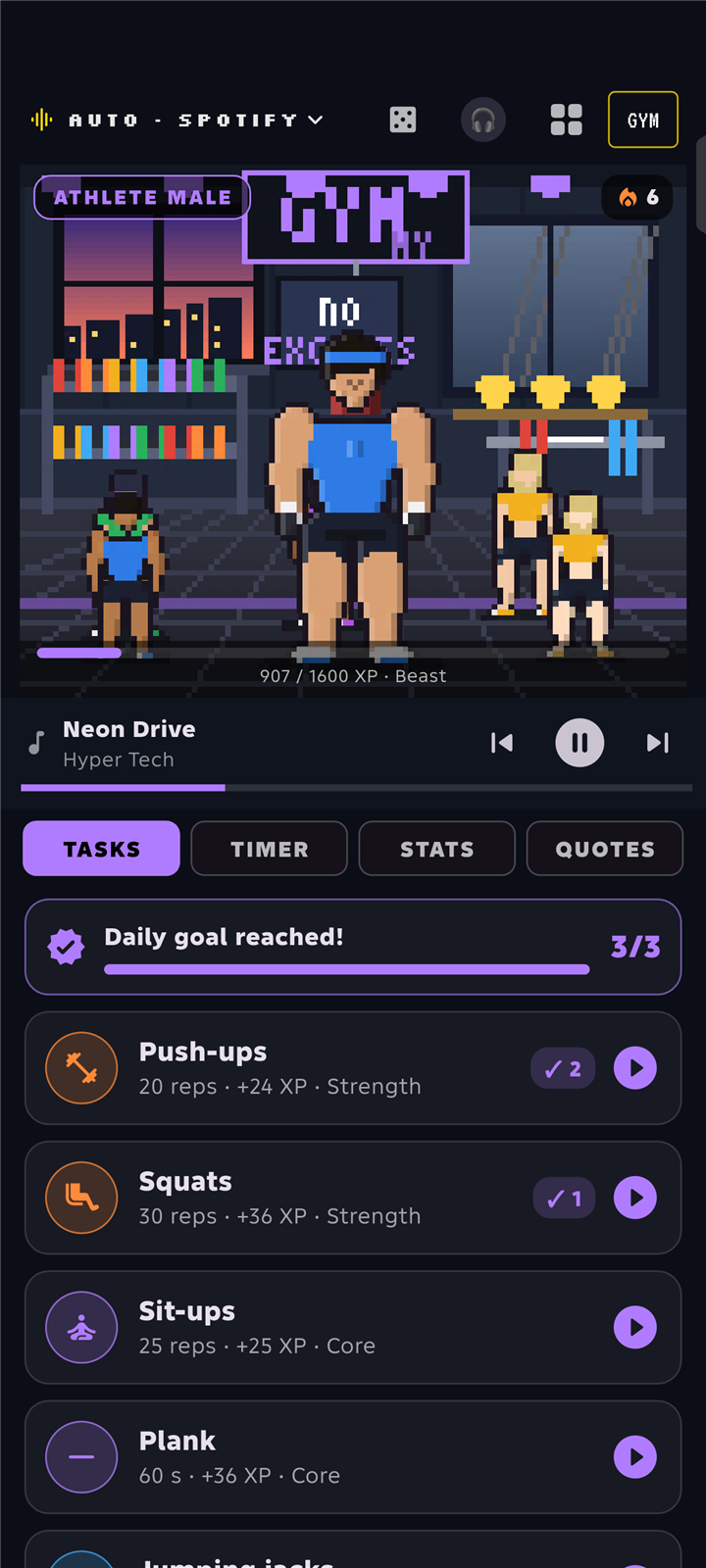
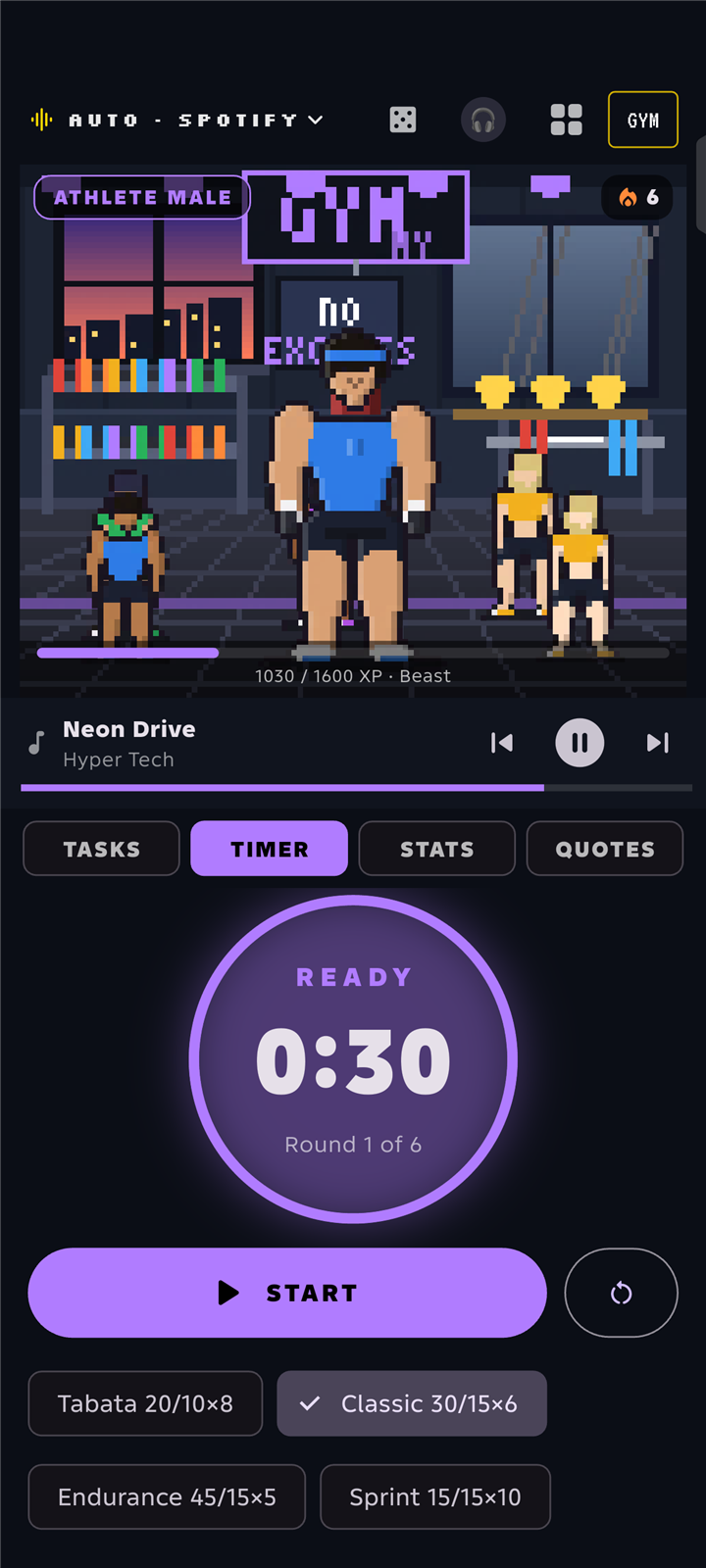
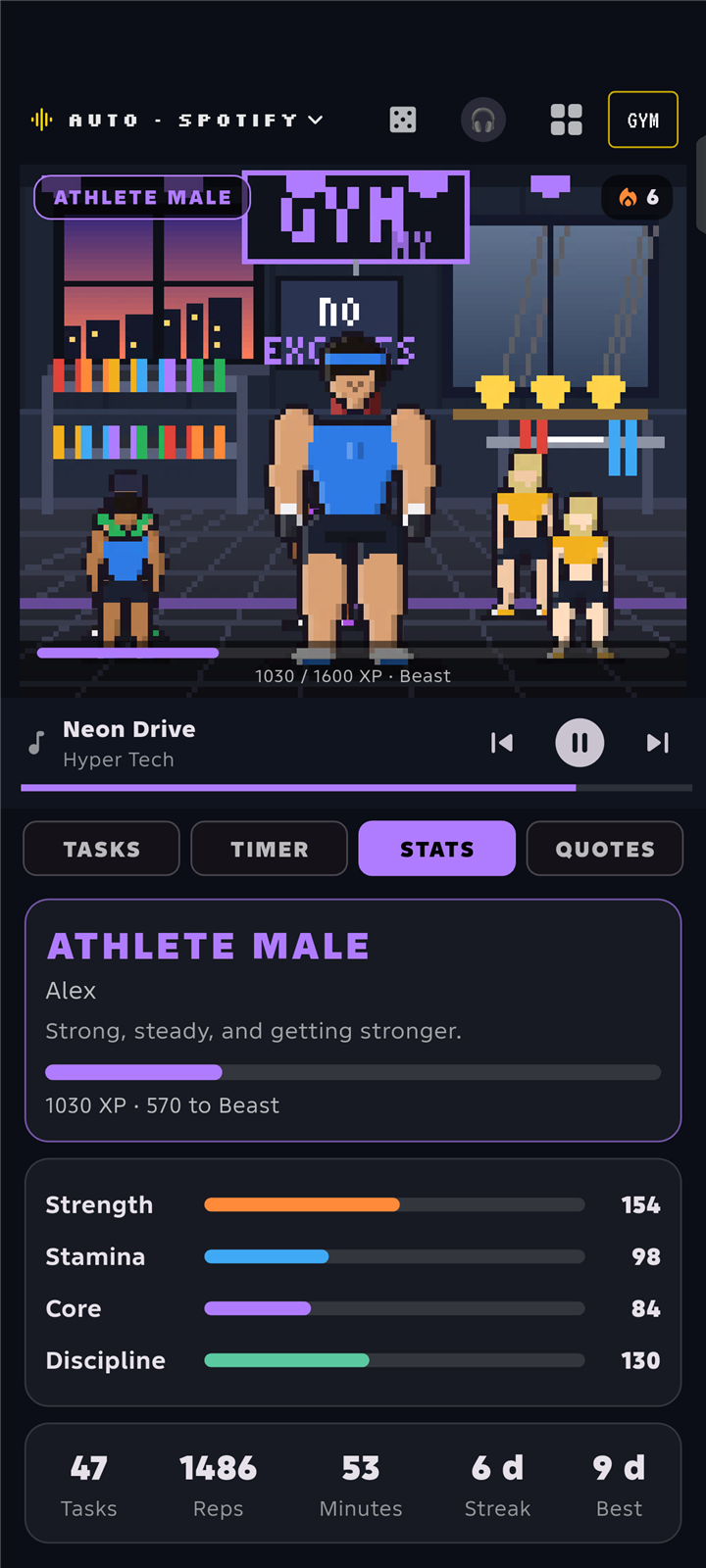
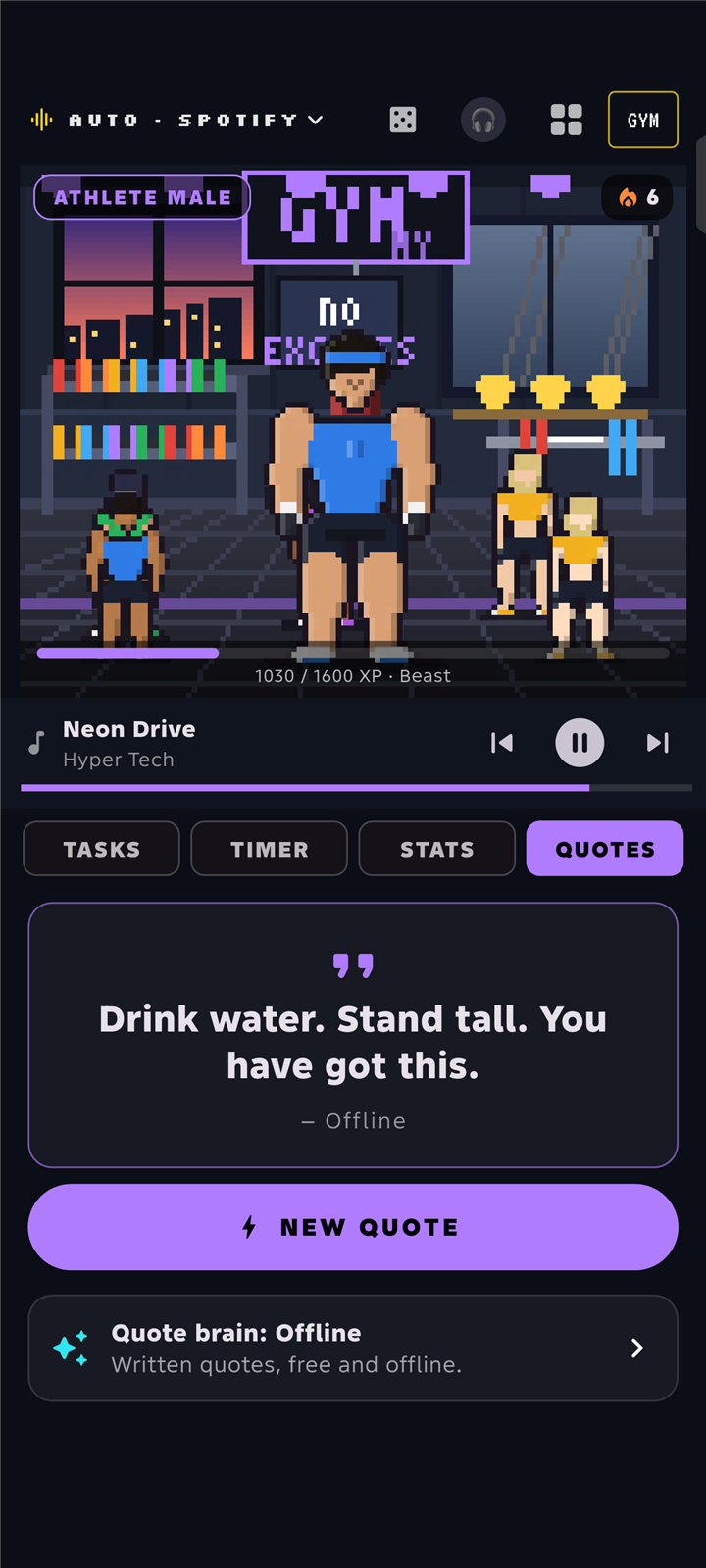
Real screenshots and a recording from a phone running HyDeck, with a made-up demo athlete.
Safe by design
You never have to turn on Developer Options or USB debugging. HyDeck asks for three normal things, and here is exactly why.
This is how HyDeck reads what is playing (title, artist, the buttons), the same way a lock-screen player does. It does not read your messages.
For links you share to HyDeck, the in-app players, and checking for updates. Nothing else leaves your phone unless you turn on an optional online feature.
HyDeck can open Android's installer for a new version, and Android always asks you to confirm. It checks the file's fingerprint first.
Updates
HyDeck looks at this website for a newer version.
The new version downloads inside the app, with a progress bar.
Its fingerprint must match the one published here, or it is thrown away.
Android asks you to confirm. Your themes and settings stay.
Download
HyDeck is an Android app (Android 7 or newer). It does not run on a PC, and there is no iPhone version yet. On a computer? Send this page to your phone with the code or link below.
Scan this with your Android phone's camera to open this page on it.
Install help
HyDeck is a new app that you install from this website, so Android is careful with it. Both screens below are normal for apps installed from a website, and both take under a minute. The pictures are simple illustrations: the words differ a little between phone brands.
Google Play Protect warns about apps it has not seen on many phones. It does not mean HyDeck is broken: you can check the SHA-256 fingerprint in the download box against the file you got.
If your phone shows More details → Install anyway, just use that instead.
HyDeck needs notification access to read the song that is playing. Android 13 and newer lock that switch for apps installed outside the Play Store until you allow it yourself.
No ⋮ menu? Try to switch notification access on once first; the menu appears after Android blocks it.
Still stuck? Tell us your phone and what you see. HyDeck never needs Developer Options, and it asks for nothing except notification access and the internet.
Questions
Yes. Every look on this page is a real screenshot or recording of the app running on a real Android phone. The only made-up things are the demo song and its artwork, so no real music is shown. The one extra is the "match the vibe" box, a simplified version of the idea.
Yes. HyDeck and its three built-in looks are free. Extra theme packs, like MIDAS and GYM, are optional and paid, and they stay locked until you unlock them with a key.
Anything that shows a now-playing card on your phone: Spotify, YouTube Music, YouTube, TikTok and more. One note: YouTube Music only keeps playing in the background with YouTube Music Premium. That is YouTube's rule, not HyDeck's, so without Premium the deck follows it only while the YouTube Music app stays open. You can also share a YouTube or TikTok link to HyDeck to watch it in the in-app player.
No, it can't hear audio. "Match the vibe" reads the song title, artist and genre tags, and guesses the mood from the words.
Each pack unlocks with a code made only for your phone. It is checked on the phone itself, so it works offline.
A reinstall makes a new device code. Open the pack in the app and paste your Gumroad license key again; if it will not open, contact us with your Gumroad receipt.
Not yet. HyDeck is for Android phones. This website works on any computer, phone or tablet so everyone can see what it is.